SiteRF
Model wireless coverage before installation.
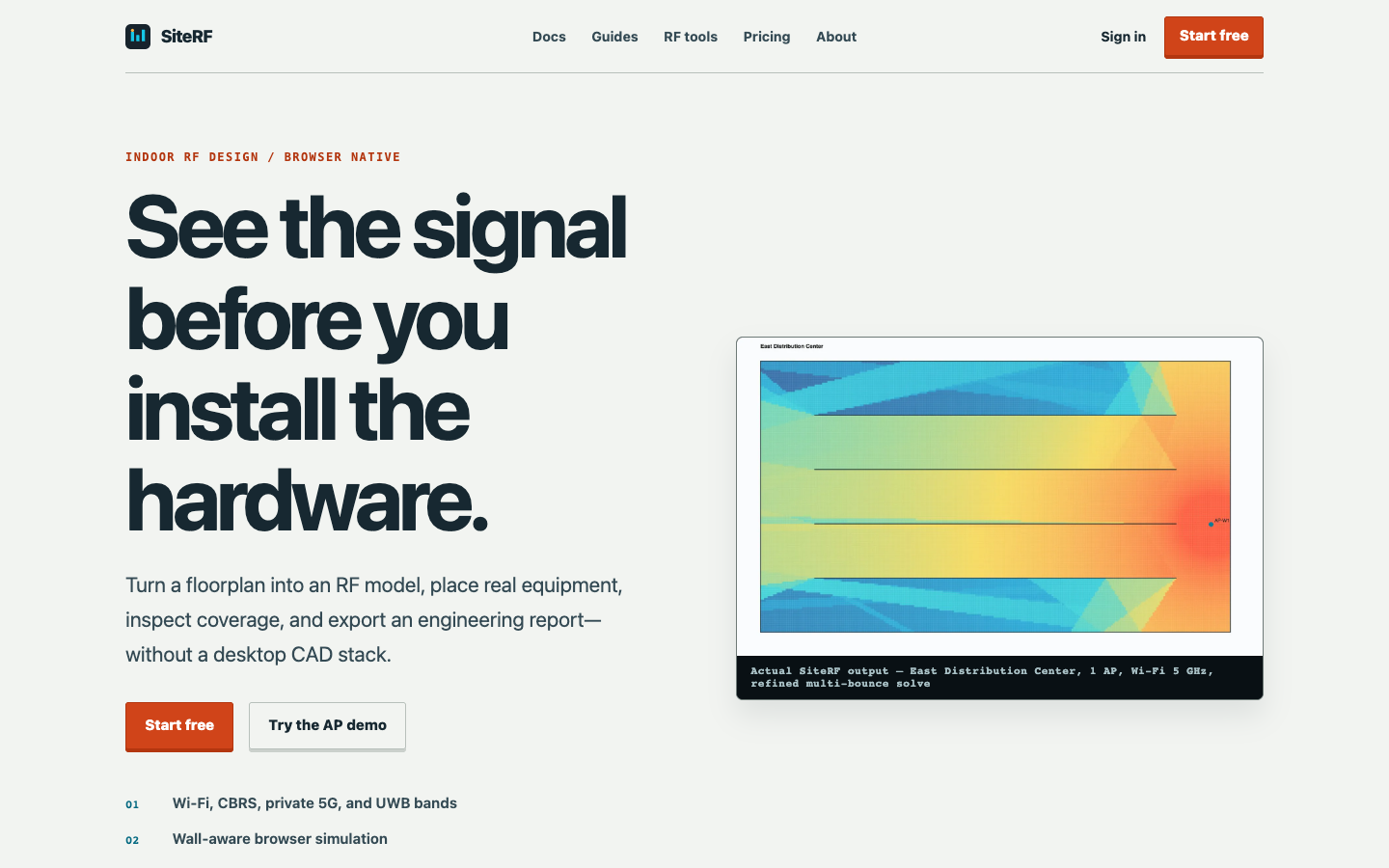
How it works
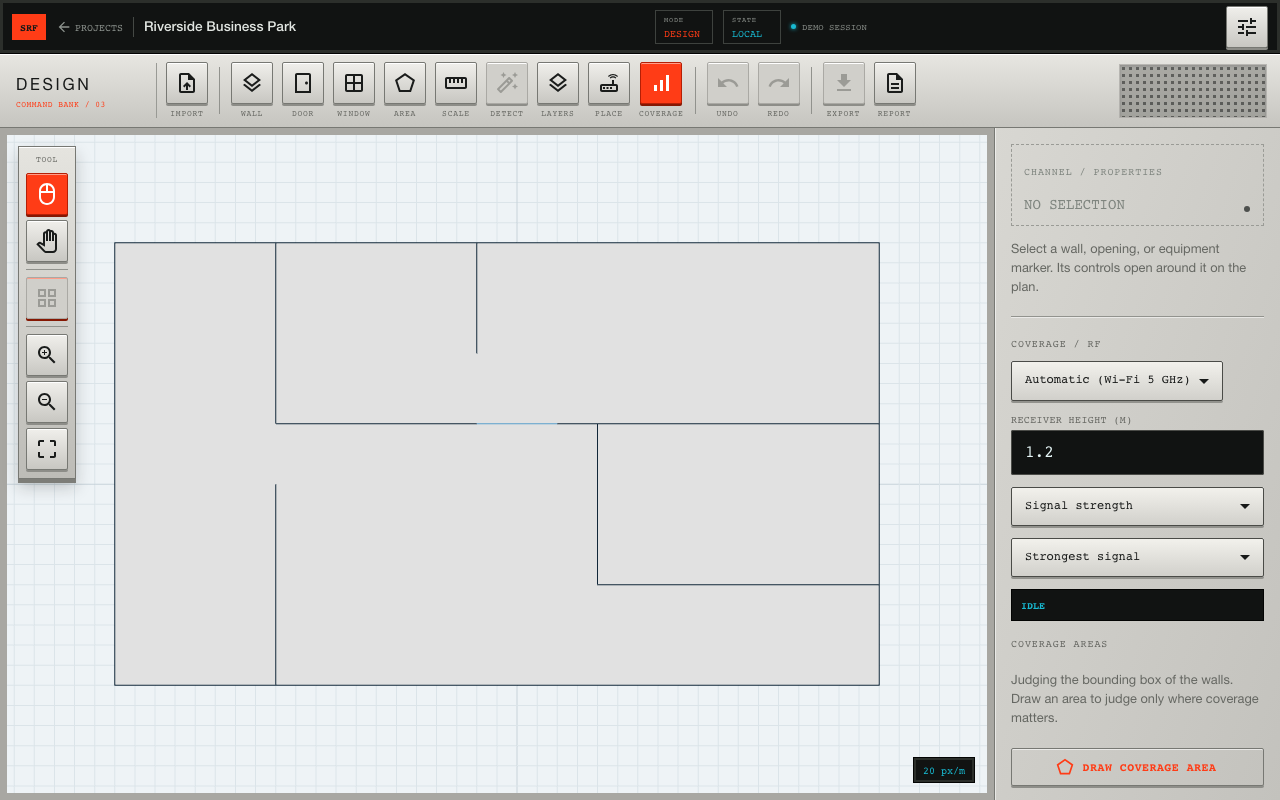
01 / Import the plan
Bring in a DXF floorplan, confirm scale, and mark the walls that affect propagation.
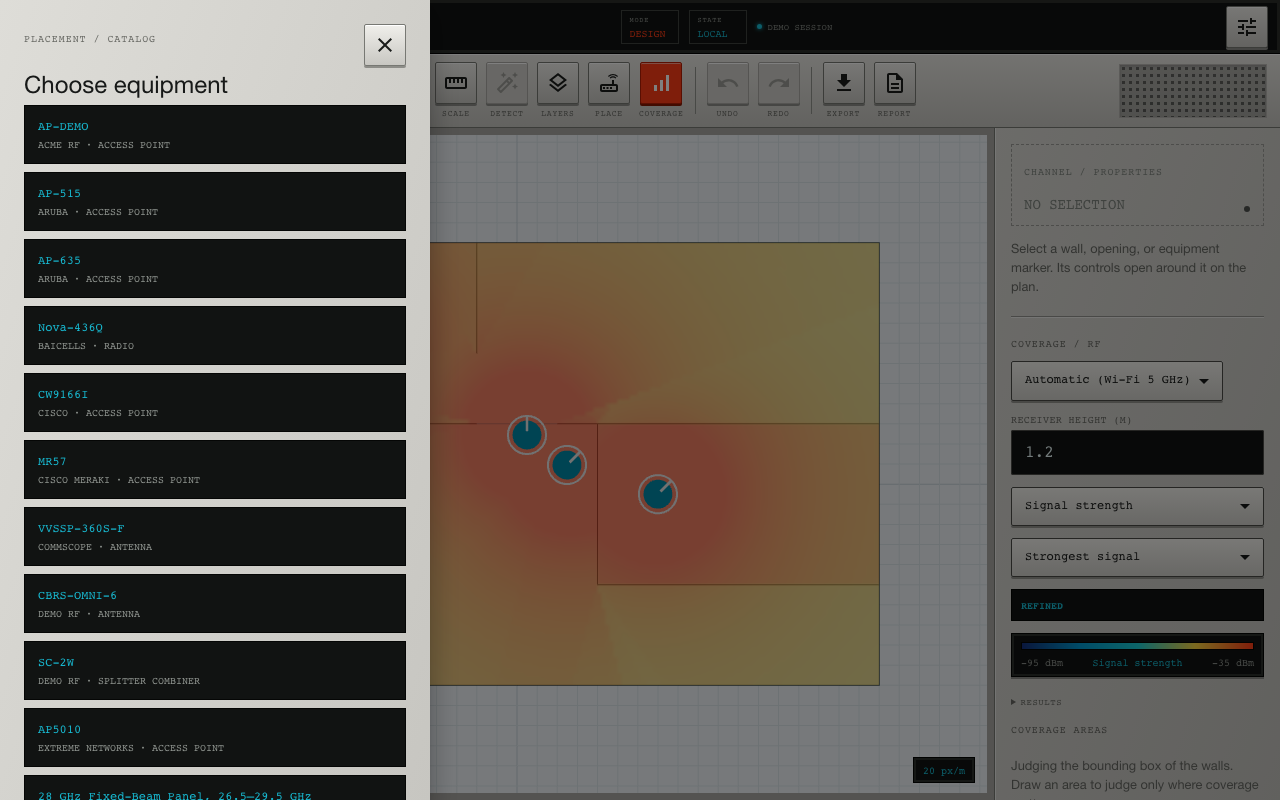
02 / Place real equipment
Pick radios and antennas from a catalog of real hardware and drop them on the plan.
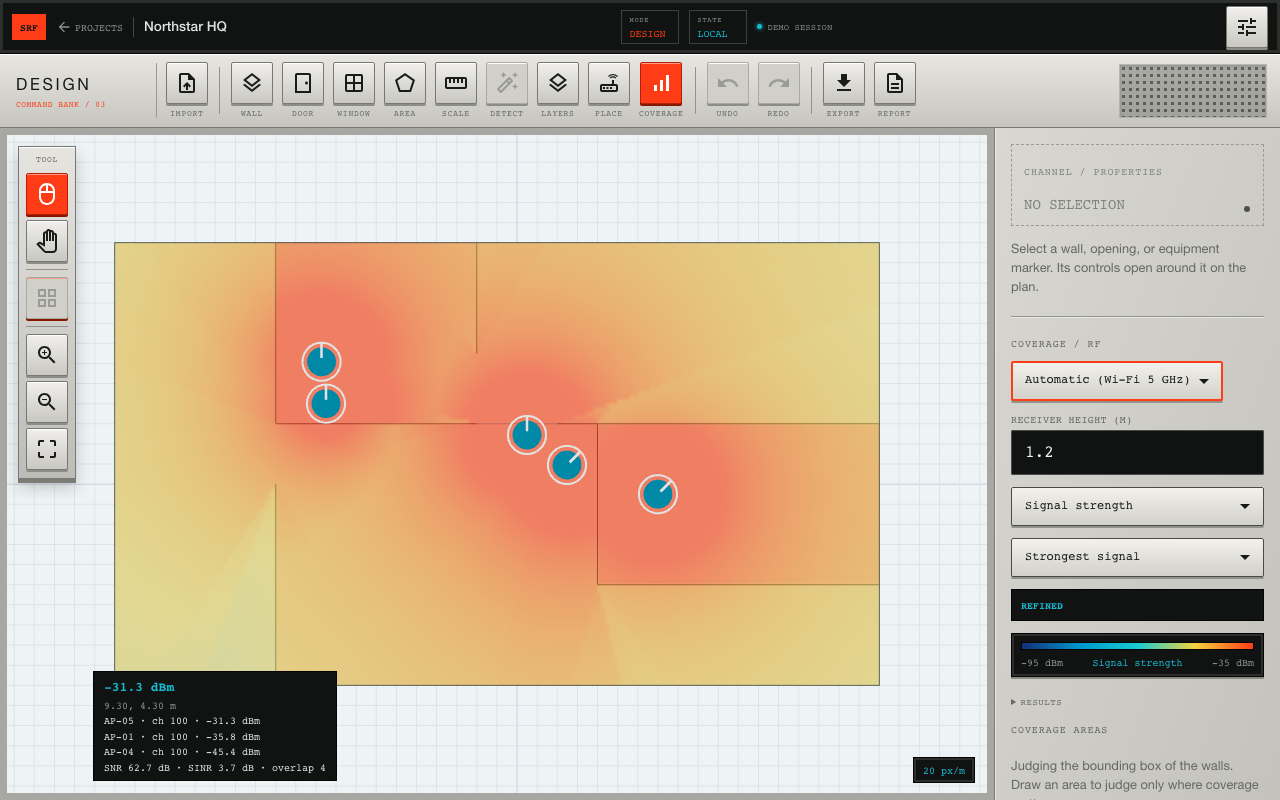
03 / Read the coverage
The map renders wall-aware signal strength, SNR, and overlap as you move equipment.
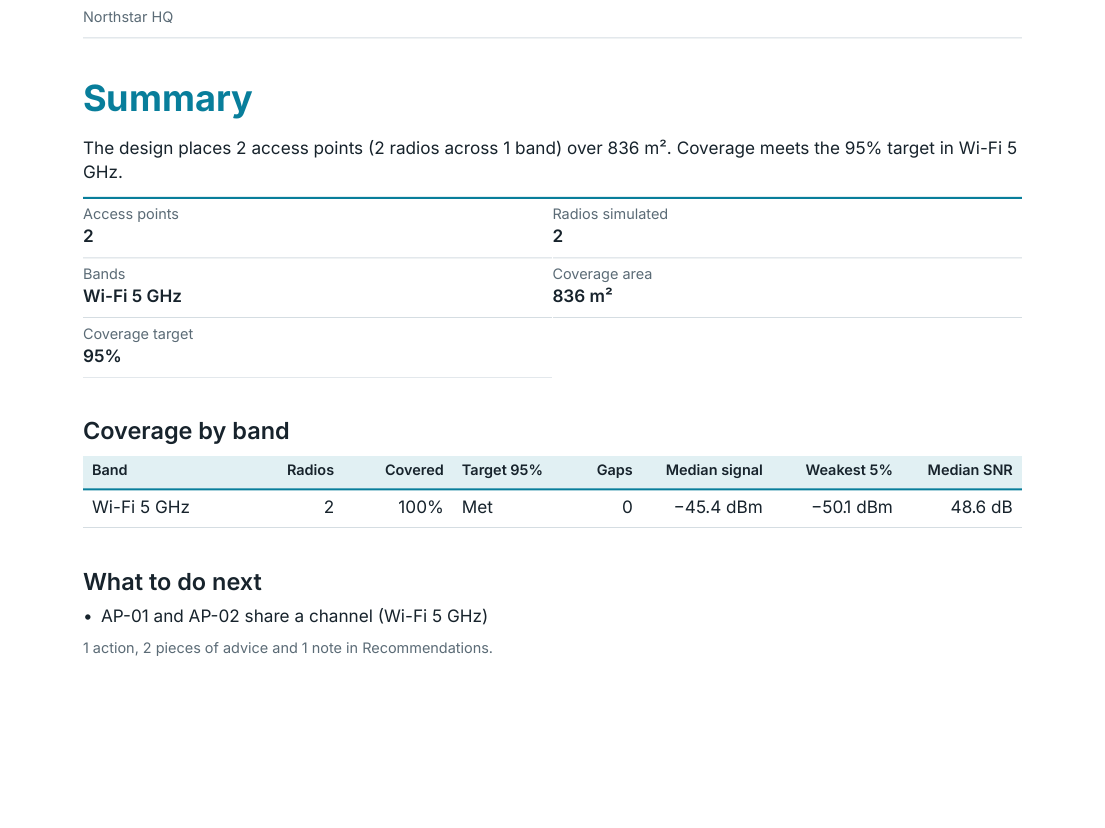
04 / Deliver the report
Export maps and findings into a branded, client-ready PDF with editable recommendations.
The problem
Planning indoor wireless coverage has meant heavyweight desktop software, expensive licenses, and hand-built reports. Installers and integrators end up guessing at access point placement, or paying for a site survey after the hardware is already on the wall.
Engineering behind it
- Running a real multi-bounce propagation solver fast enough to feel interactive, entirely in the browser
- Turning messy CAD floorplans into walls and materials the simulation can trust
- Keeping a catalog of real equipment accurate across Wi-Fi, CBRS, private 5G, and UWB bands
- Producing reports that show their assumptions, so a client can review the result rather than take it on faith
What it does
A CAD-like 2D workspace for RF design: import a floorplan, place real hardware, and watch modeled coverage update across the site. It is built for the people who install and maintain the network, as a lighter-weight alternative to desktop RF planning suites.
Core Capabilities
- Interactive engineering simulation in the browser: Rust and WebAssembly make it possible to run the propagation engine in a web worker, so there is nothing to install.
- Multi-band planning: Wi-Fi, CBRS, private 5G, and UWB, with explicit wall losses and published propagation models.
- Real equipment catalog: Place access points and antennas from real vendors, with band and mounting details.
- Modeled coverage you can evaluate: Predicted signal strength, SNR, SINR, overlap, and dead zones compared against targets you set. Results are model predictions based on the floorplan and the stated assumptions, not field measurements.
- Client-ready reports: Branded PDFs with maps, assumptions, equipment, findings, and editable recommendations, plus PNG and CSV export.
Status
SiteRF is live at siterfapp.com, with a free tier and an in-browser access point demo you can try without signing up. If you design or install wireless networks and want a faster way to show clients what they're getting, we'd love to hear from you.
Building something with similar technical constraints?
We work with teams building software that touches hardware, field operations, complex workflows, and the physical world.
Ready to model your next site's coverage before you install?
Try SiteRF